TL;DR version
Impact
Within 3 months of implementation, we witnessed a remarkable improvement in metrics:
- The time to first value decreased by 45%.
- Conversions increased by 30% (average for new and unregistered users).
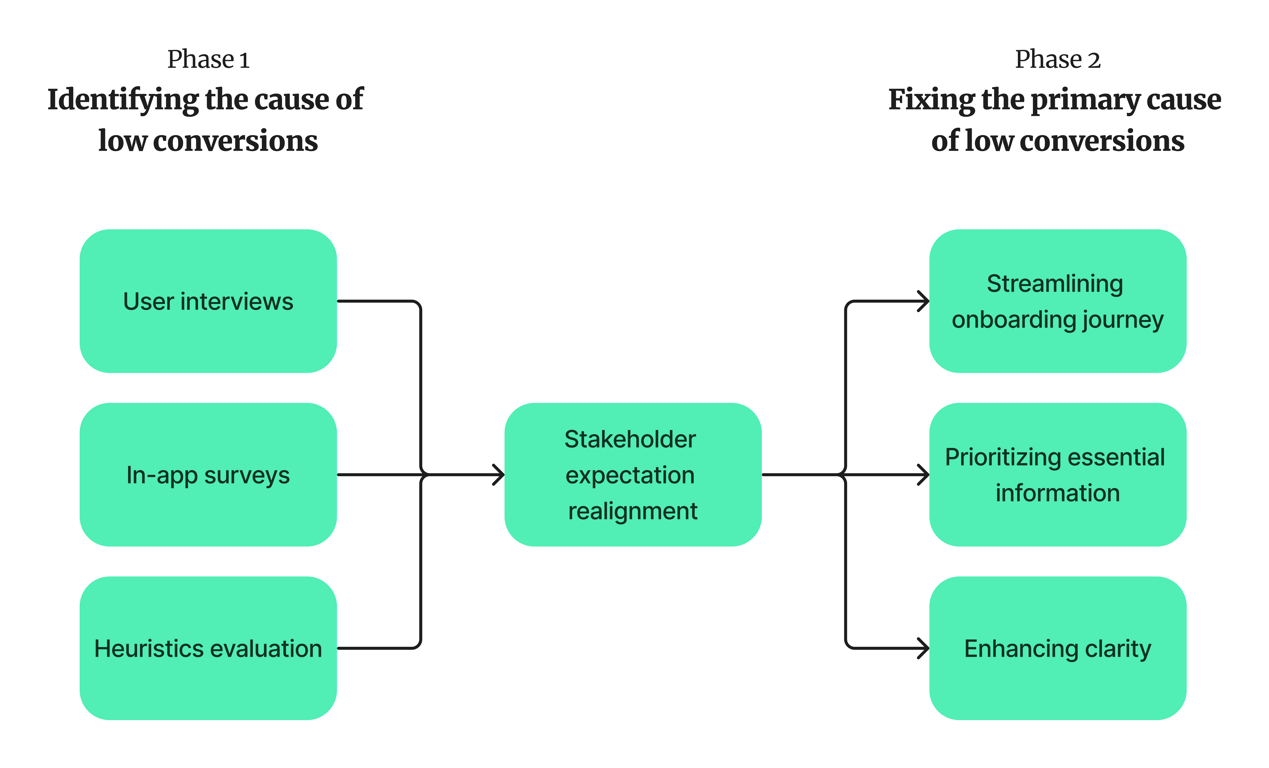
Process snapshot
Expanded version
The backstory
Avegen's "Together for Her" app empowers expecting mothers with doctor-verified information and support. However, the initial onboarding process resulted in a low conversion rate.
Conversion types
- New user registrations
App install → Create account
- Existing user registrations
Guest user → Create account
This case study details my role in simplifying the onboarding flow, significantly increasing user engagement.
Target audience
- Role: Pregnant woman, her partner, her employer, her friend, her neighbour
- Economic background: Unemployed, 10,000 per month to 1 lakh per month
- Literacy level: 6th pass to Post-graduate
- Language proficiency: Hindi (80%), English (40%), Marathi (45%)
- Geography: Maharashtra (Primary), Karnataka, Goa, Delhi, Punjab, Rajasthan (Secondary)
Phase 1: Identifying the causes of low conversions
Nature of the product domain → Pregnancy
Pregnancy being a short-term association, users would automatically churn after the user is no longer pregnant, so the app was constantly onboarding new users. Hence, the first-time user experience (FTUE) was critical to the app's sustainability, growth and revenue generation.
User interviews
Understanding user pain points was crucial.
- User interviews revealed that the lengthy onboarding process (7 steps) felt overwhelming.
"It felt like the app was asking for too much information before I even had a chance to see what it offered."
Why can’t I sign in with just my phone?
Why do I have to share my name?
- Users expressed confusion regarding the purpose of certain information requests.
What happens if I 'skip'?
Why should I use the app?
Why do those planning pregnancy need this app?
Why should I use the app?
Why do those planning pregnancy need this app?
Moment of truth: Getting the pregnancy week right
Mera week nahi le raha hai thik se. Information kaise thik se de payega?
(It’s not registering my week properly. How will it provide me correct info?)
Heuristics evaluation
The heuristic evaluation revealed further issues.
Adjusting expectations
Product
- Gather as much user data as possible at the earliest ⇒ Personalised experience
- why someone used the app
- app’s user: pregnant woman, their partner, or someone they know
- health stats: weight, BMI, blood pressure, blood glucose level, etc.
Business
- More registered users → paying users ⇒ Product-Market fit
User
- purpose of the app
- access the app’s content as fast as possible
Phase 2: Fixing the primary cause of low conversions
Streamlining the process
Reduced the number of onboarding steps by splitting it into three different journeys.
Before
After
Prioritising essential information
Only requesting data crucial for personalisation (language and pregnancy stage) during registration.
Before
Onboarding journey (prototype)
After
Enhancing clarity
Used simple, user-friendly language and provided justifications for data collection.
Results
Within 3 months of implementation, we witnessed significant improvement.

Time to first value decreased by 45%

Conversions saw an uptick of 30% (average for new and unregistered users)
Way forward
- A brief app introduction before onboarding to build trust and familiarity.
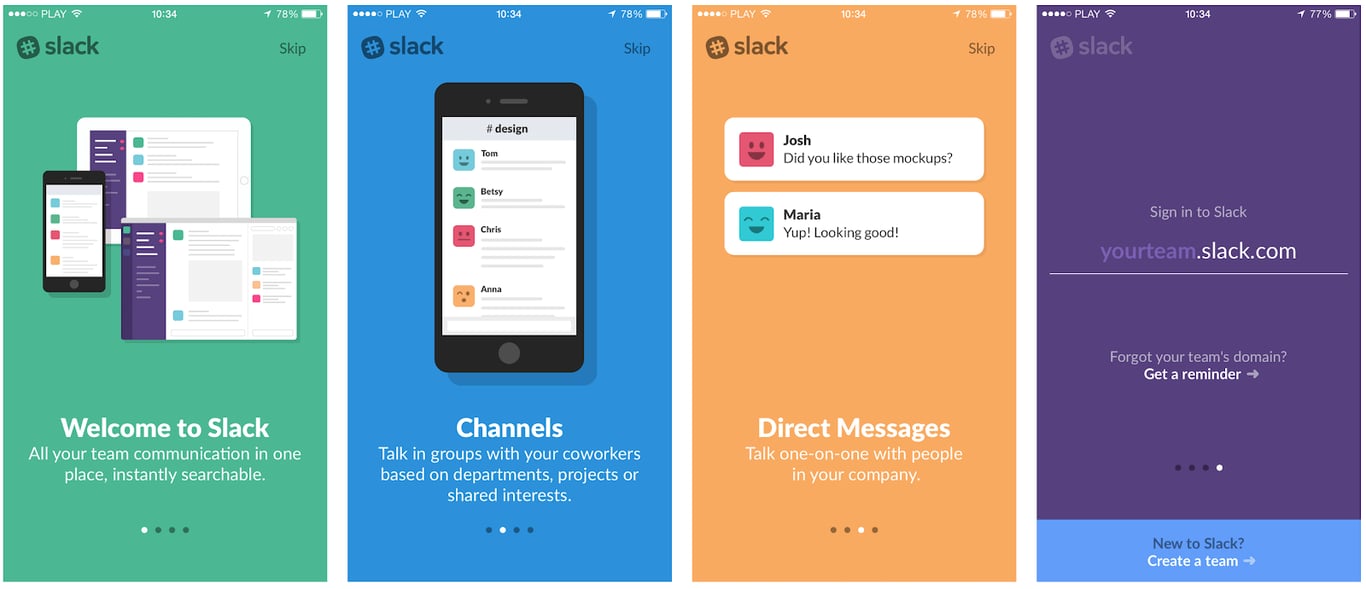
- A one-step login process for returning users.
- Horizontal week selection for consistency across the app.
Feel free to contact me to discuss this or a similar project.
 Made with Bullet