TL;DR version
Impact
Improved user experience of an internal website that had been neglected for almost four years.
- 70% of the surveyed users found it more intuitive and usable and could easily locate the items via global search or navigating to their ‘expected’ location (findability).
- Increased website traffic and content consumption.
- Fewer follow-up questions for the Salesforce training crew and customer support (self-serveability).
Project snapshot

Expanded version
The backstory
- bp implemented Salesforce in 2020 for a 360-degree view of its supply chain and customer lifecycle.
- bpforce, the internal Salesforce solution aimed to empower users with efficient workflows, was utterly complex and experienced low user adoption despite numerous trainings.
- A team of 25 subject matter experts was formed and tasked to simplify the process and increase adoption.
Problem
- The Trading & Shipping (T&S) Salesforce training website was not user-friendly, hindering its use as a primary resource.
- Usability issues included:
- Findability: Difficulty locating the content through search or navigation.
- Wayfinding: Inconsistent design and layout causing user disorientation.
- Privacy: Improper permissions exposing internal documents.
Objectives
Make the &S SF SharePoint website more organised, intuitive and user-friendly.
- Enhance findability: Users easily locate required information.
- Improve intuitiveness: Users understand content and avoid dead-ends.
- Increase self-serveability: Users can train independently.
- Ensure sufficiency: Training materials adequately prepare users for Salesforce use.
Solution
A complete website overhaul encompassing content organisation and long-term management practices.
Execution
Phase 1
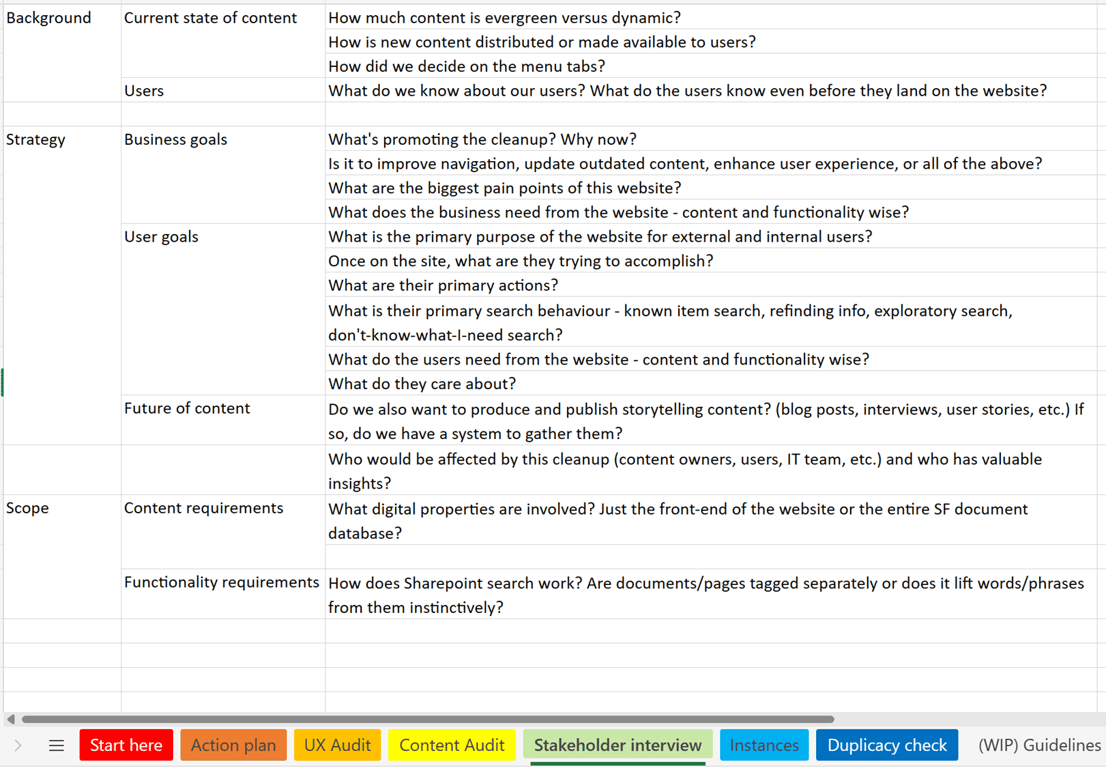
- Conducted Stakeholder interviews (Business liaison, Customer support lead, Salesforce training crew, Marketing lead, and Content owners)
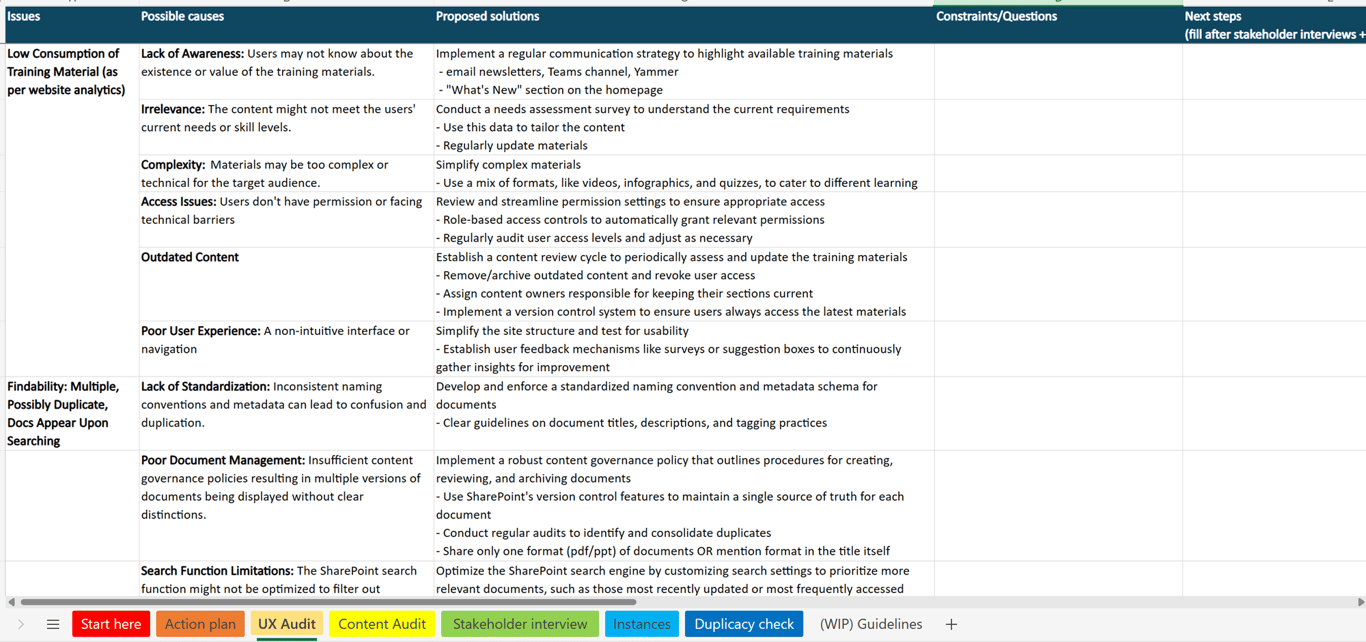
- Did a Content & UX audit built upon the approach from Lisa Maria Martin shares in her book, Everyday Information Architecture.
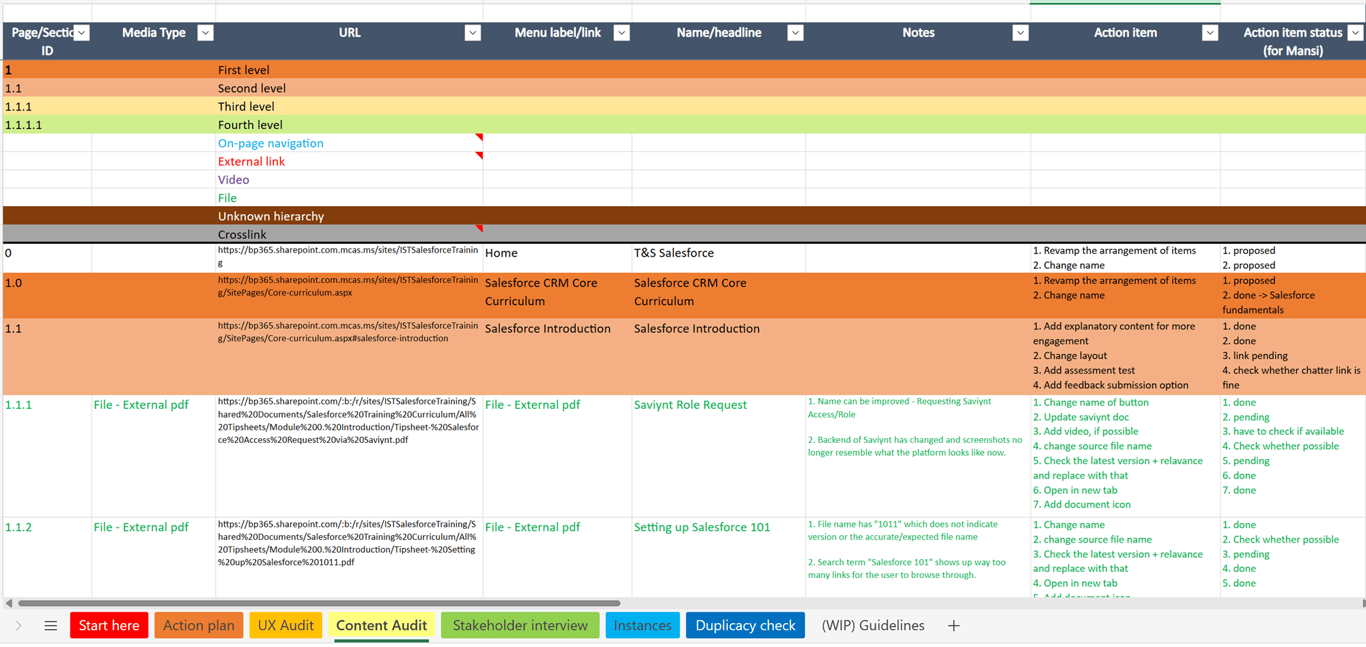
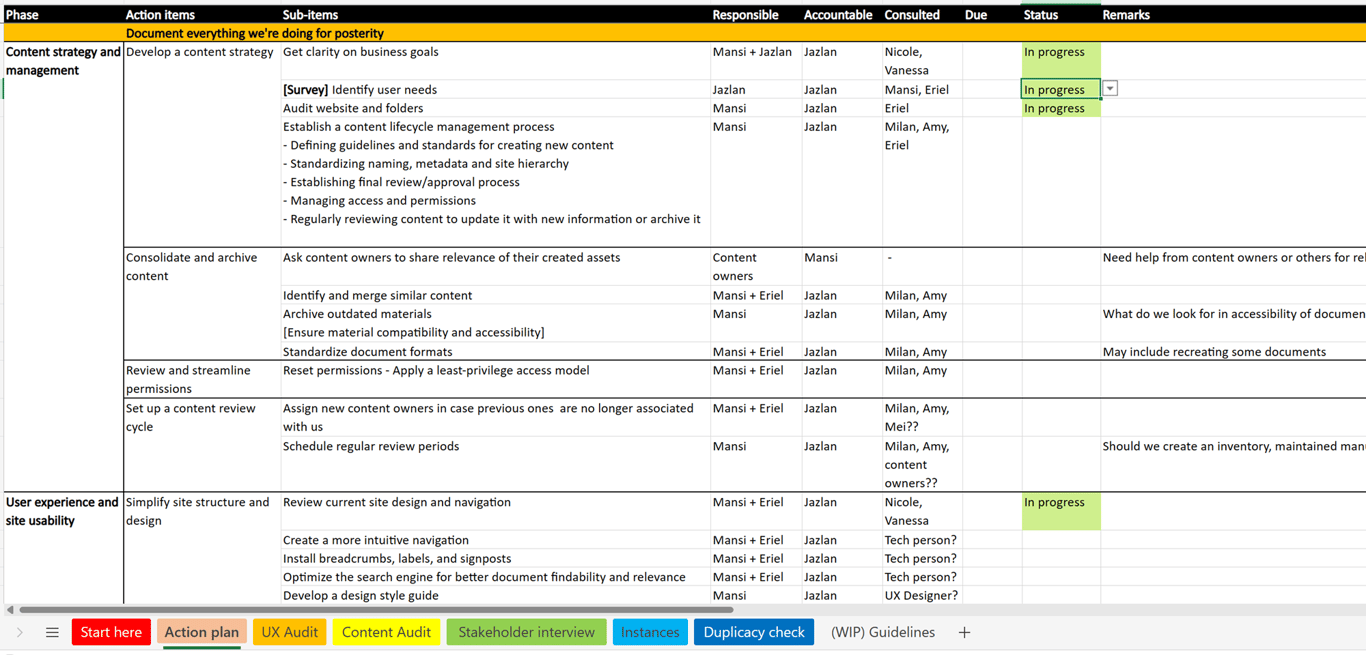
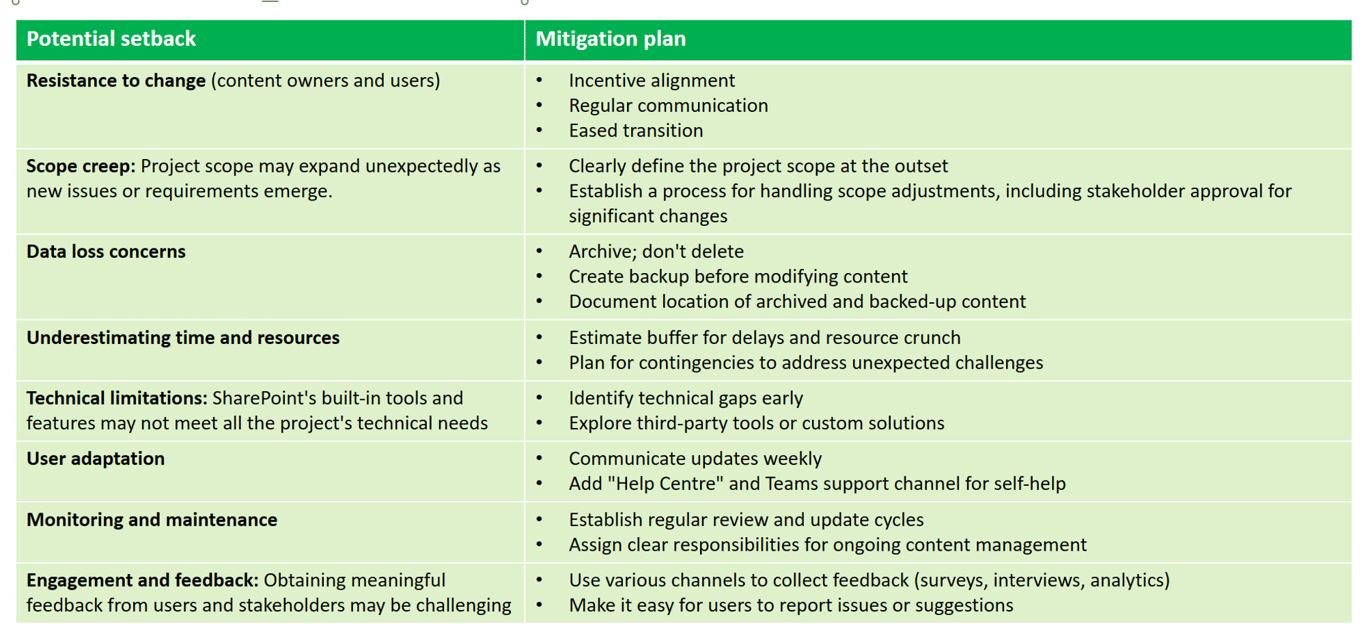
- Developed an Action plan with Potential setbacks & mitigation plan
Stage | Major action items |
Content strategy and management | Develop a content strategy Consolidate and archive content Review and streamline permissionsSet up a content review cycle |
User experience and site usability | Simplify site structure and design Improve first-time user experience Conduct usability testing and analytics review Update documents to reflect the new site structure |
Communication and training | Launch communication strategy Offer SharePoint security training |
Feedback loop and continuous improvement | Establish feedback mechanismsConduct usability testing and analytics review |
- Created a content lifecycle management strategy (content consolidation, version control, etc.)
Phase 2
- Restructured website architecture, information and database folders for improved navigation.
Information architecture for navigation, an article by Abby Covert, was instrumental in my work during this phase.
- Redesigned the website with improved content presentation and user experience.
- Created new training materials like tip sheets and videos for specific features.
- Conducted a survey based on System Usability Scale.
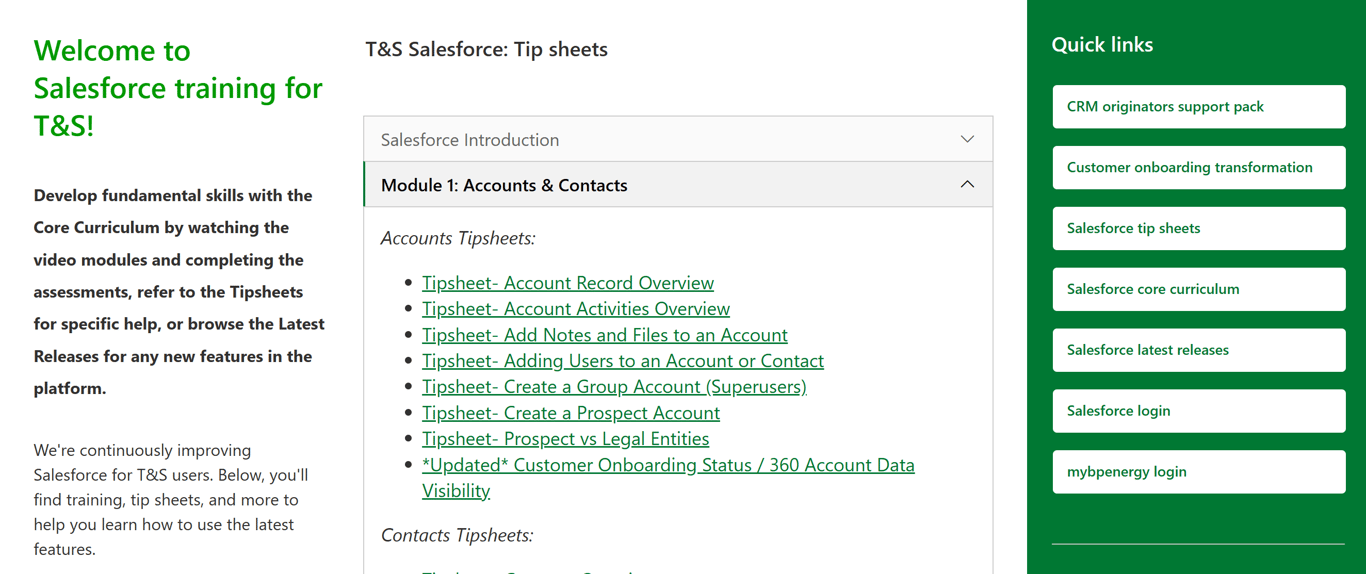
Training materials on the website → Before
- The page is divided into 3 columns, which looks cramped
- The page is a collection of links with little context
- Content not in sync with bp’s brand voice and design system
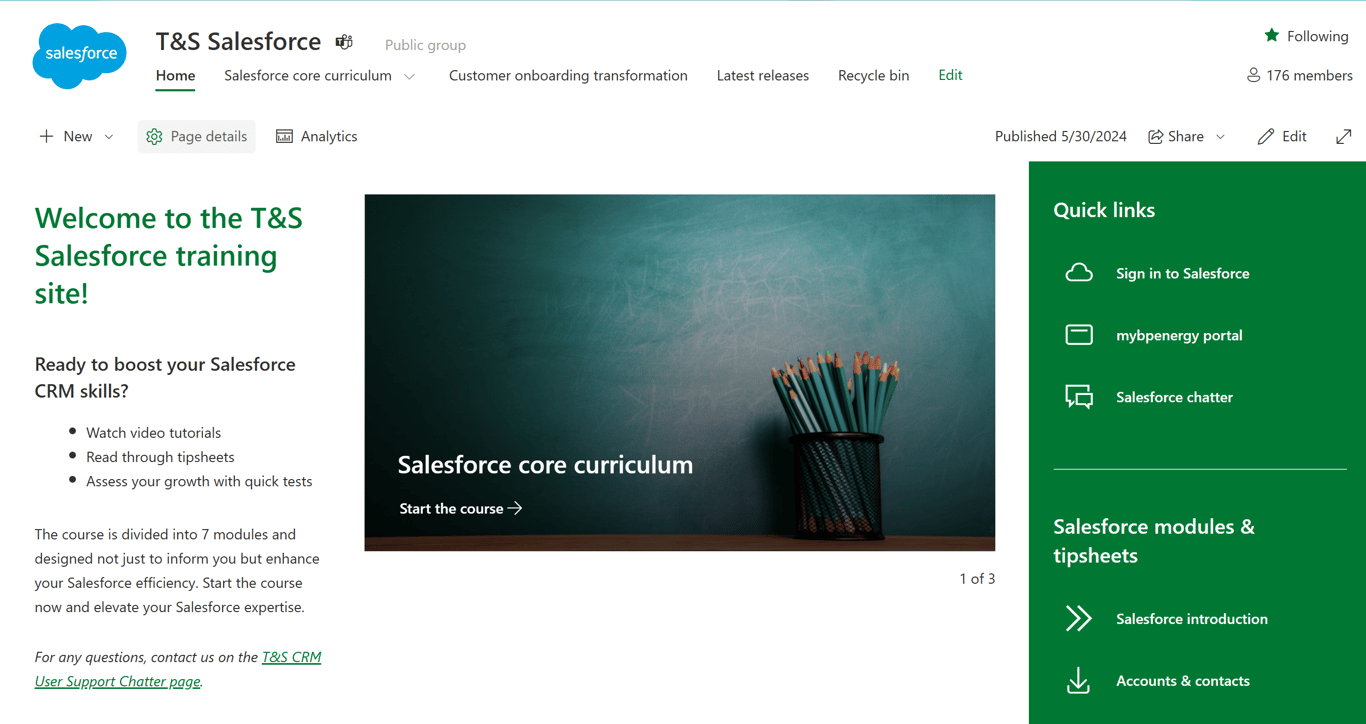
Training materials on the website → After
- The page still has 3 columns but added more white/negative space for a cleaner look.
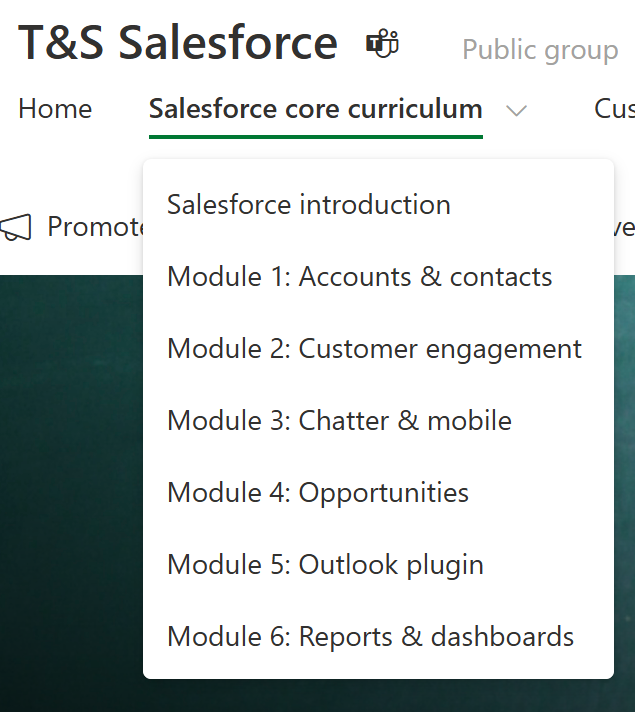
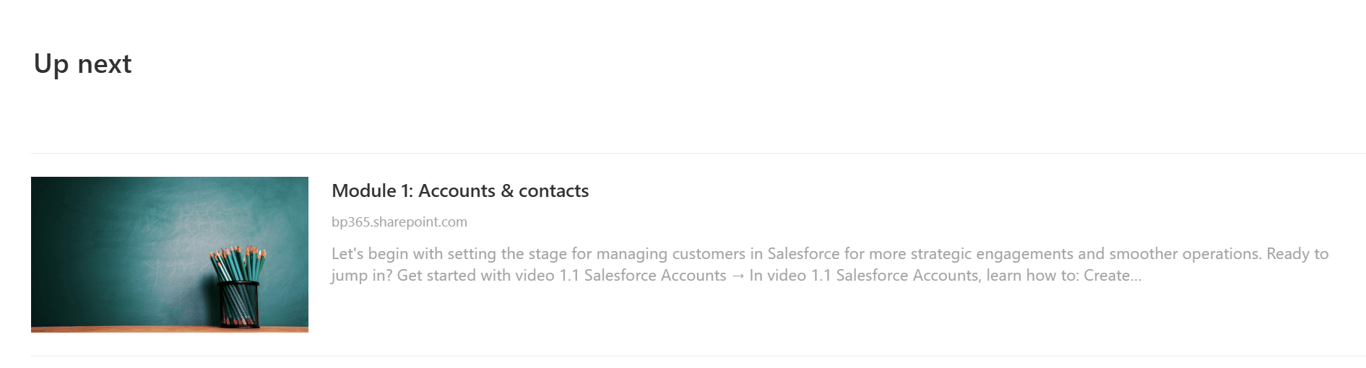
- Turned the website into a course experience:
- Homepage as the opener
- Separate pages for each module
- “Up next” section for next module
- Supplemental resources like tip sheets and relevant links in the sidebar for improved visibility and access (usability)
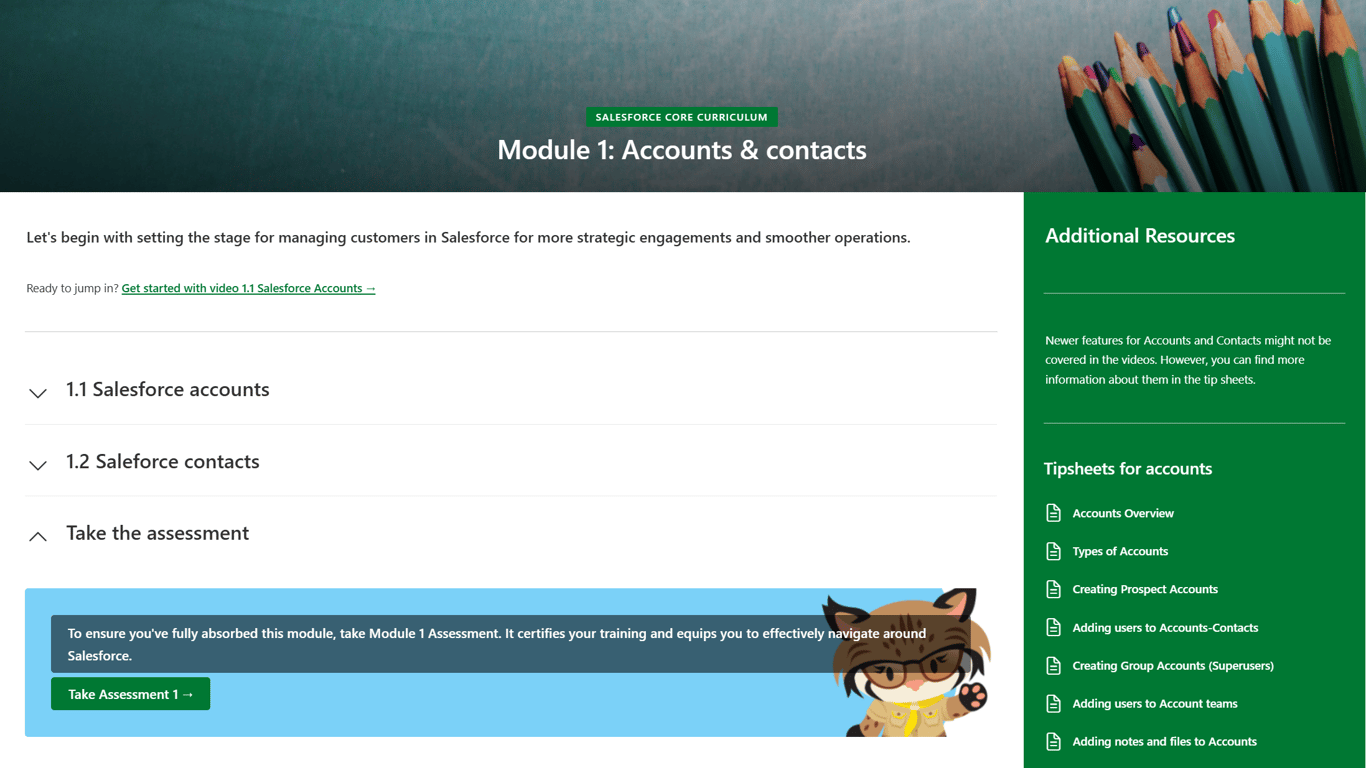
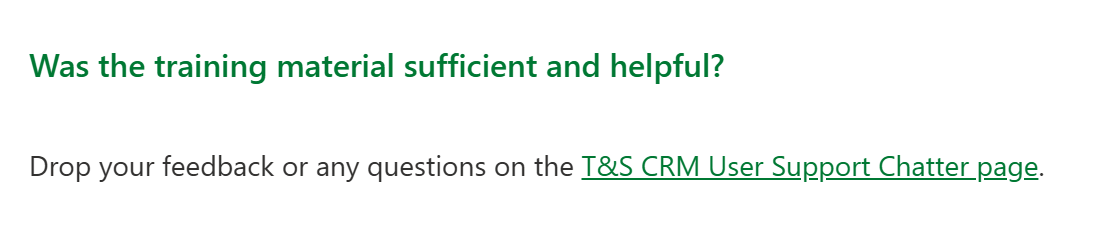
- Added module-specific ‘Assignments’ and generic ‘Share feedback’ CTA in every module.
- Chose to cue people to focus on the ‘sufficiency’ and ‘helpfulness’ of the training material for feedback.
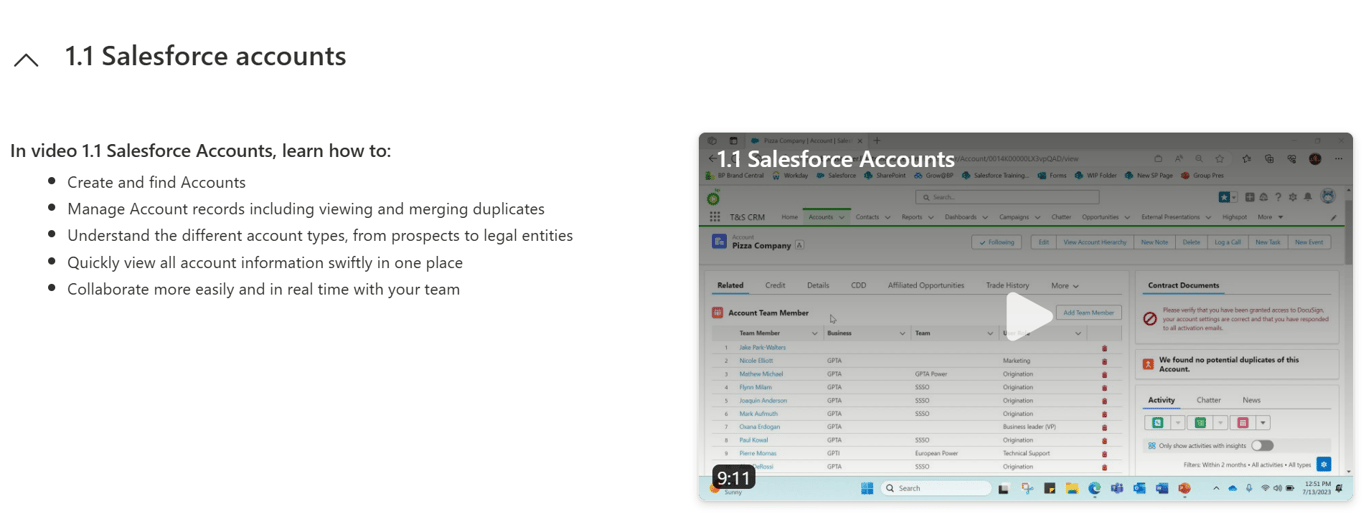
- Added videos for more visual learners and follow-along instructions (no need to switch between screens)
- Context with every module and info on what each video contains
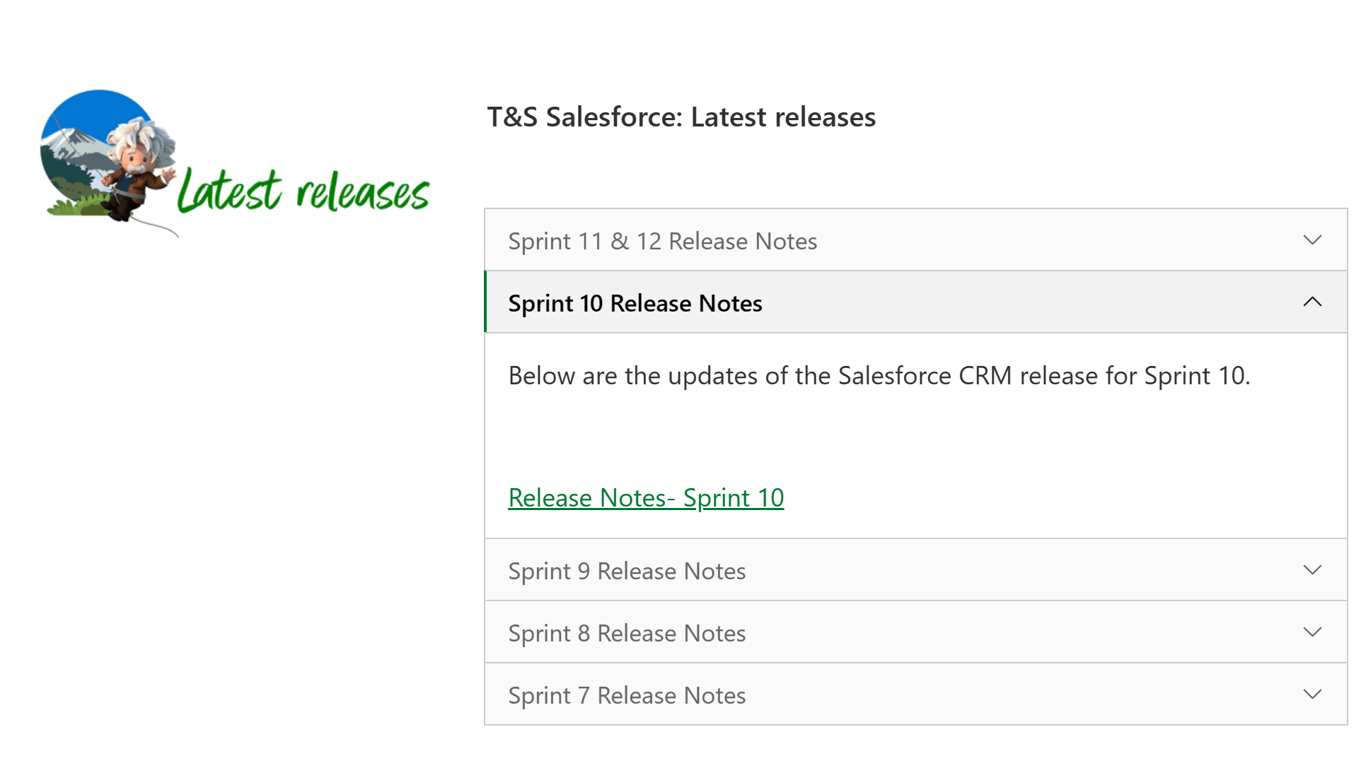
Latest releases section → Before
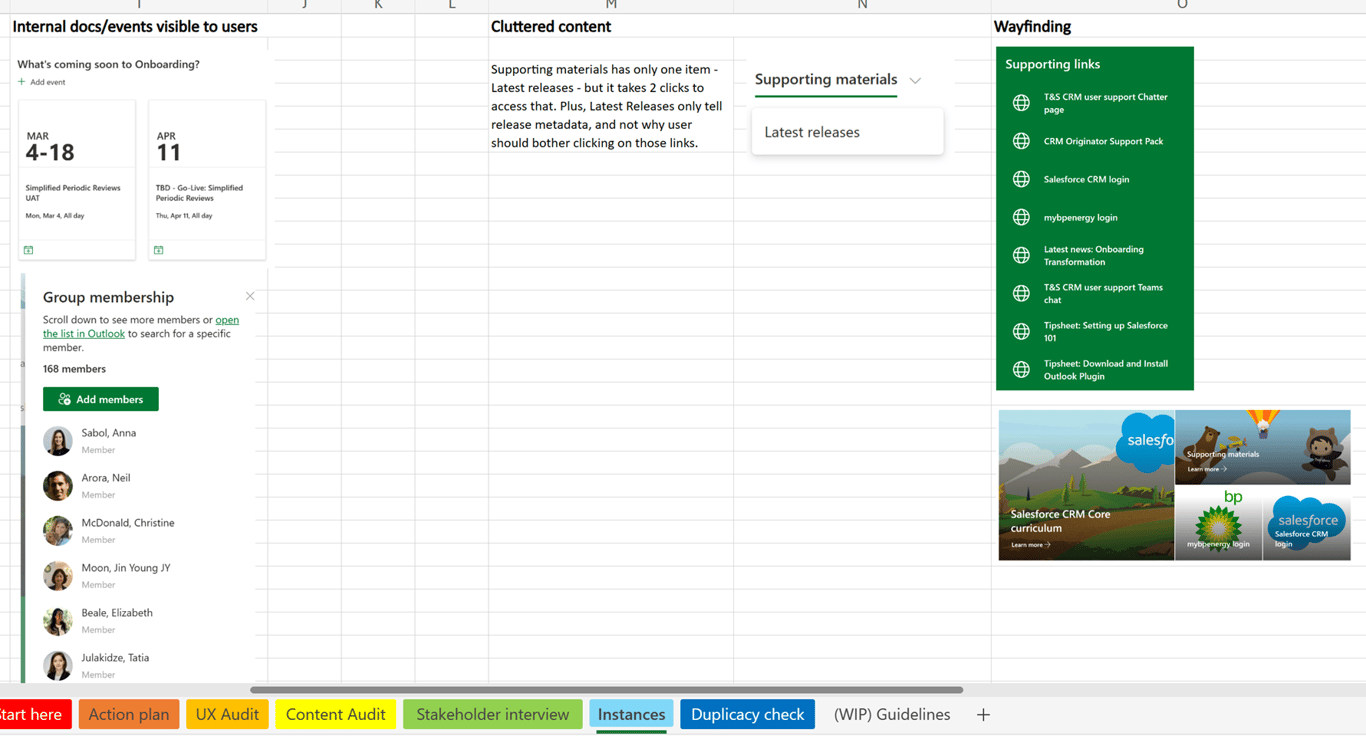
- Accordions housed only a single link
- No clarity on ‘when’ a said sprint happened
- Sharing sprint updates was discontinued but the page was still live on the website (redundant).
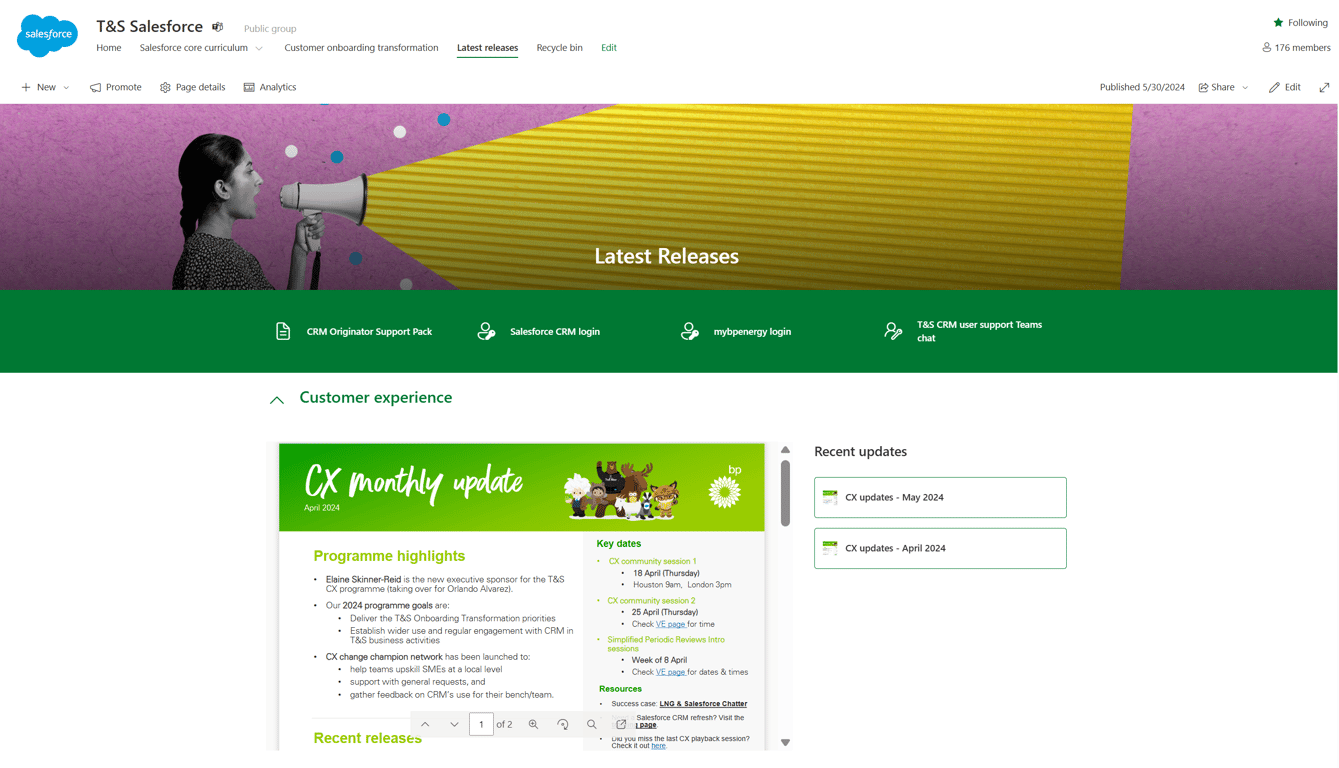
Latest releases section → After
- Replaced the ‘tech release’ with ‘CX releases’ as the company was now more focused on the CX initiatives → Newsletter section, updated monthly
- Added relevant links in a bar for easy access with icons hinting at the destination or result of clicking.
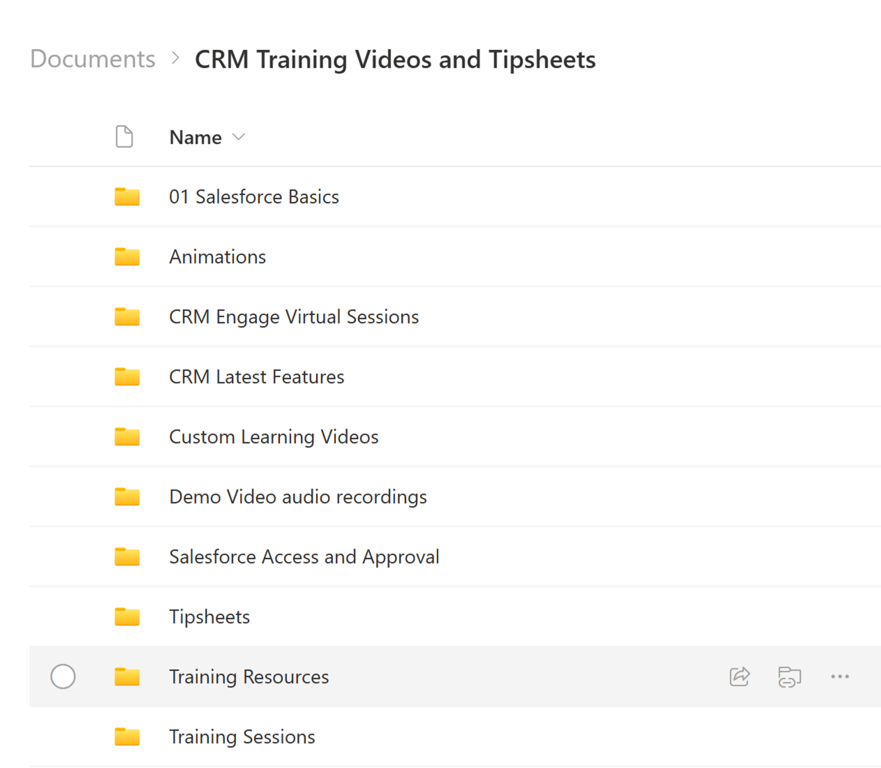
Internal folder organisation → Before
- Website assets were scattered throughout different folders, intermixed with work-in-progress, outdated and duplicate documents that also showed up when people searched for them on the website, causing confusion and frustration.
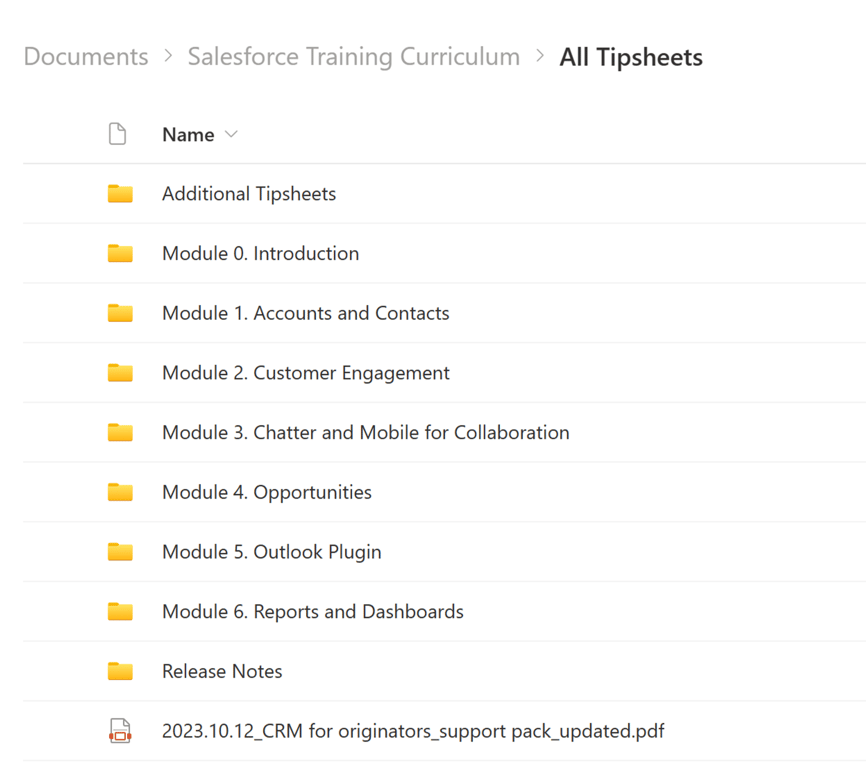
Internal folder organisation → After
- Moved website assets to a separate central folder for easy access
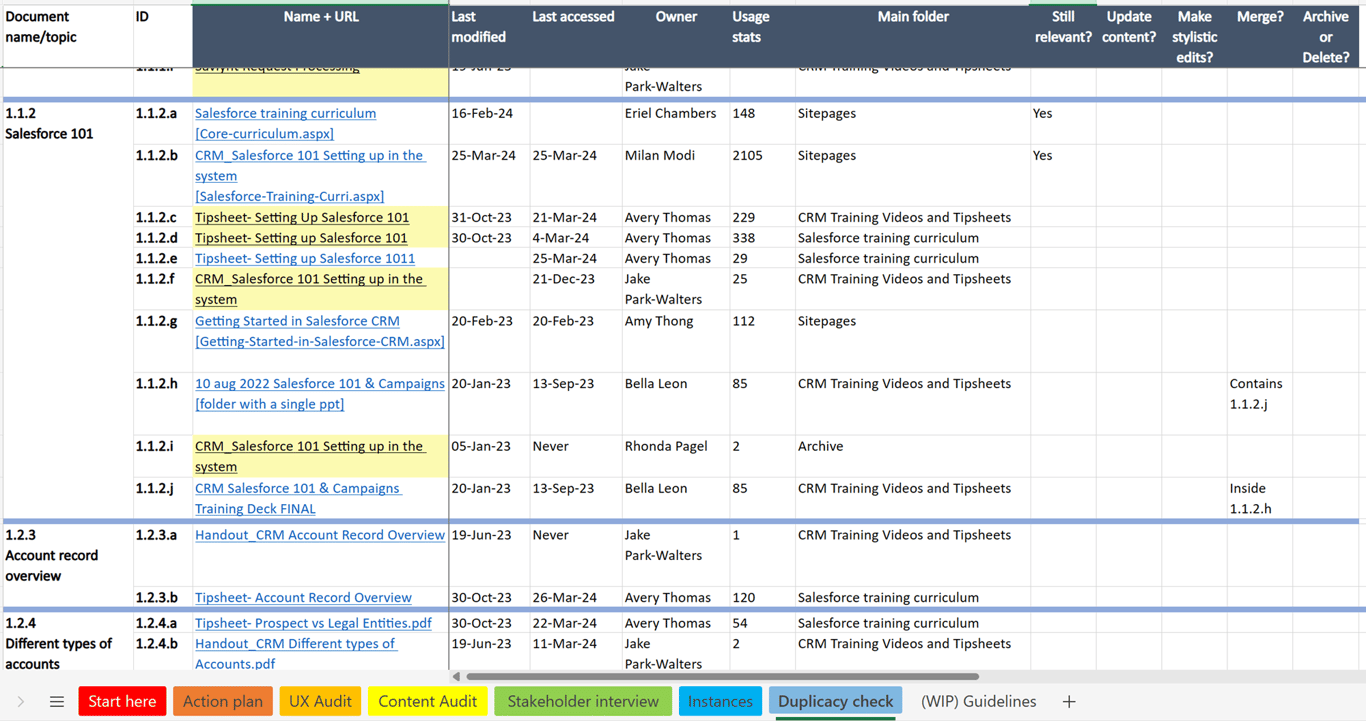
- Consolidated other training materials and documents based on their relevance, last update and instances present (followed MEDAM: Move, Edit/Update, Delete, Archive, Merge).
- Updated documents to reflect new site structure and document links
Phase 3
- Developed a communication strategy for updating internal teams and customers
- Offered SharePoint security training to content owners and reset permissions applying the least-privilege access model
- Transferred ownership and established a content review cycle for future maintenance
Challenges
- The sensitivity of the information and bp’s regulatory guidelines allowed me only a limited access to user survey responses.
- Stakeholder bandwidth limitations delayed capturing full business requirements (Phase 1).
- Technical constraints with SharePoint limited my redesign options (I’m not a coder).
- Dwindling stakeholder support led to project prioritisation issues despite it being a sprint item.
- Content owner turnover due to internal organisation restructuring created handover challenges.
- Resistance to change from new content owners and stakeholders.
Impact
Improved user experience
- 70% of the surveyed users found the new website more intuitive and usable.
- Increased website traffic and content consumption.
- Fewer follow-up questions for the Salesforce training crew and customer support.
What could have been done better
- Blocked dedicated time for the project to avoid prioritisation issues.
- Established content guidelines for tip sheet consistency (appearance, structure, tone).
- Advocated for a top-down content governance mandate for long-term success.
Appendix
Stakeholder interview questions
Action plan
Instances
Duplicacy tracker
Potential setbacks & mitigation plan
UX Audit
Feel free to contact me to discuss this or a similar project.
 Made with Bullet